
Bear Days: Full Circle
“Yesterday’s Achievements:
- Good Hipstamatic pics shot while shopping with the girls.
- Figuring out the Bear vs Notes conundrum.”

This post is part of the Bear Days series.
Browse other articles here.
There's a rule of thumb in journaling: you should always write as if the words are destined for somebody else. Never presume that your future self will still remember context, or specific details. December 30, 2016 is probably the day I decided to replace Notes with Bear, but I can't be sure. It does fit the timeline:
The first version of Bear launched in 2016 and was an immediate hit. It won Apple’s App of The Year award for the Mac that year and pretty quickly convinced lots of users (including some Verge staff) to switch from Evernote and other tools. Bear didn’t have tons of unique features, but it felt great to use. It was fast, it was stable, and it had lovely typography and a few beautiful themes. So many other productivity tools felt like work, but Bear never did.
What’s clear, however, is that I have a long history with Bear. I believe it was the first app I used that genuinely felt crafted. It was beautifully idiosyncratic, and stubbornly intentional. But despite its many, obvious qualities, there were always certain aspects that didn't quite gel for me, and sent me looking elsewhere.
Eventually, I found Craft.
Eventually, came Obsidian.
Well, a few weeks ago I started putting Bear 2 through its paces. And at the risk of shocking a few of you, it's now my new home. (1)
I've transitioned 95% of my Obsidian content, and have been happily working within the app without a single issue. With delight, even.
All my writings, archives, journals (2), research, books and resource notes, are now perfectly linked, sorted, and searchable in Bear; I've built several templates and actions using the app's extensive Shortcuts and x-callback-url support (including my inspiration journal setup); I've even successfully wrapped my head around Bear's tag-centric design (which initially gave me a run for my money, believe you me).
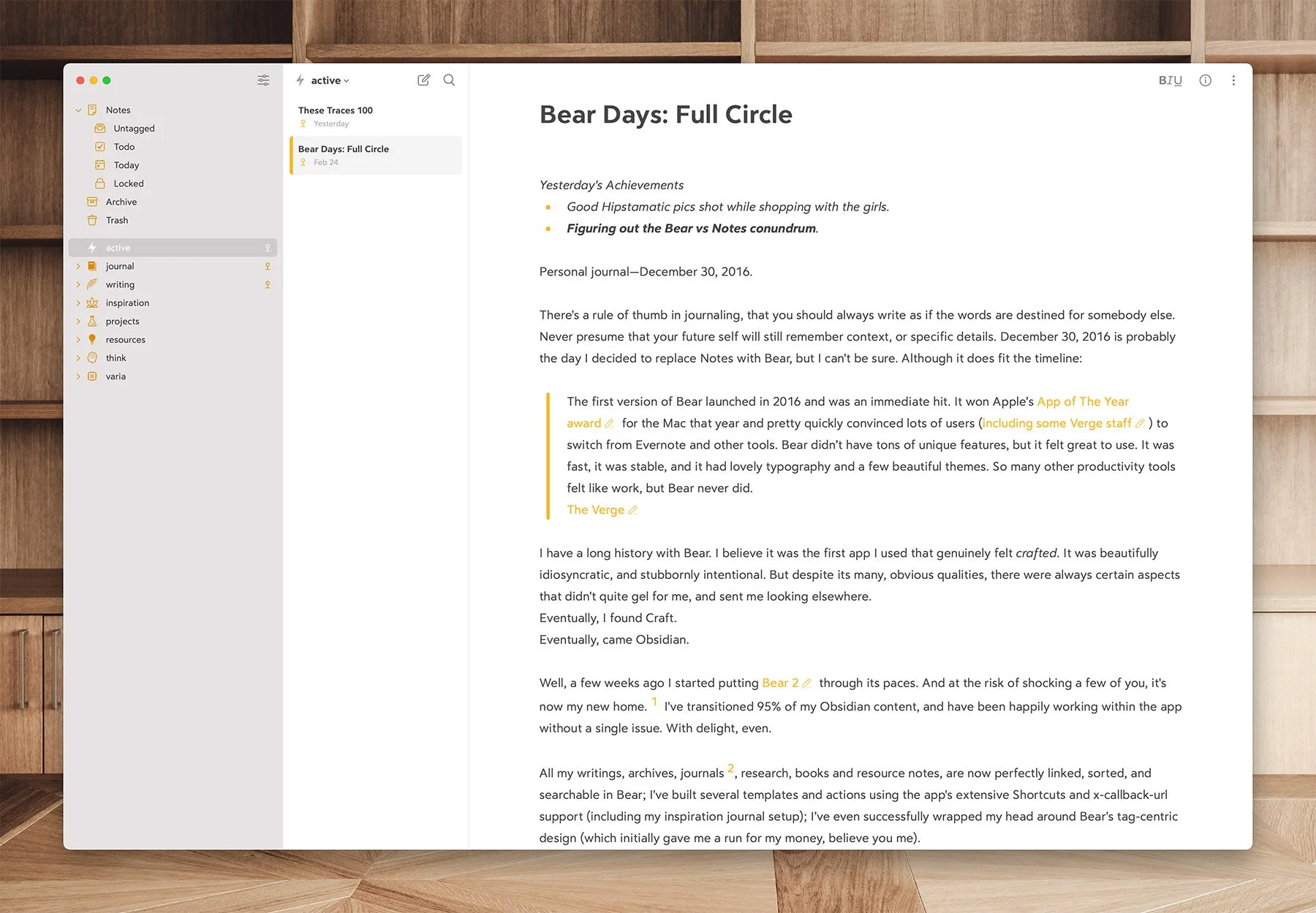
The draft, the digs…
I hope I don't come off as the-guy-who-constantly-switches-apps. I'm actually pretty loyal, overall (3). It's just that I'm also willing to veer away quickly if I notice friction, for too long. An app never matters to me as much as the underlying system: if the foundations of a workflow are solid, moving to another app is rarely traumatic.
So what happened, after such an all-consuming infatuation with Obsidian? Mobile fatigue, and the creeping realization that the full power of Obsidian is likely to always be exclusive to my Mac:
I can't use the iPhone version, or barely. It's just not pleasant (I wrote it off a while ago).
The iPad version is ok—for writing. But even this requires accepting dozens of small annoyances, UI quirks, and a general slowness that, lately, has gotten much worse. That’s the big one: Obsidian on iPadOS now stalls in all kinds of situations that weren't problematic before. It’s probably temporary, but still.
The Canvas feature, while compatible, is mostly a pain to use on iPad. I thought this would eventually change, but it hasn't. Same goes for graphics-heavy vaults: the app will just slow to a crawl (on my Inspiration vault for instance). Often it'll simply crash.
At some point you either accept the situation, or find a better solution. This isn't a diss against Obsidian: it's a bloody fantastic piece of software. I completely understand the company's cross-platform development philosophy, and I fully respect their approach. It's a tinkerer's paradise, in the best sense of those words. But I crave the freedom to move transparently between all my devices, without compromising the experience or feature set.
I'm not ditching Obsidian entirely: I'm keeping it for Readwise and Omnivore integrations, a visual database of my vinyl collection, etc. There's no equivalent to Dataview in Bear.
But this is definitely a major displacement.
POWER & POLISH
With version 2, Bear has turned into quite a powerhouse. It reminds me a lot of Things: superbly clean and simple on the surface, but filled with advanced features that reveal themselves once you make the effort to dig in. I mentioned its Shortcuts support: I was able to use this, combined with the app's extensive search queries , to recreate an On This Day feature—something I was sure I'd be forced to give up—much more effortlessly than in Obsidian. And without spending hours in Safari wading through code I still don't fully understand.
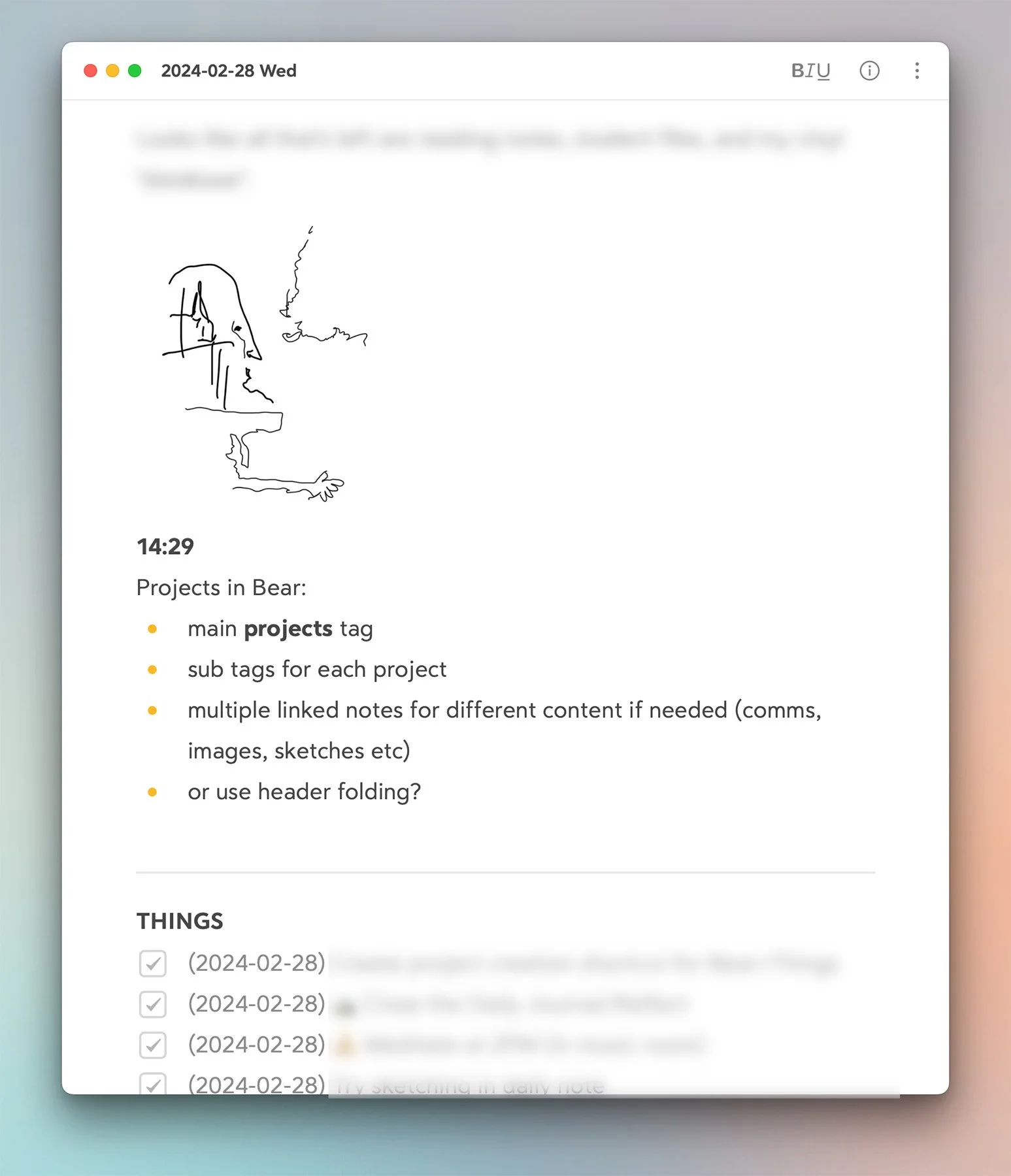
Type, sketch…whatev.
In terms of writing workflows, not only does Bear share markdown syntax with Obsidian, but it includes many of the QOL features I'd added to it via plugins (timestamps, rich previews, link insertion etc). Most of those features, in fact, work better in Bear (I'm looking at you footnotes).
More importantly, I love the new text editor, with its option to hide Markdown. I could never get used to constantly seeing headers and full syntax in the previous version. Bear 2 now feels like an app that's designed for writers, as much as coders.
FIRST CLASS
“I’m almost giddy about Bear. Especially when I pick up my iPhone or iPad and it all just works as expected. I’m not waiting for content to appear, I’m not hitting keys on the external keyboard only to realize the app window wasn’t *really* in focus, that I need to tap the screen, and start all over again. Small but constant annoyances that invisibly grind away at the skin.”
STUFF I NOTICED
Headings are odd: H1-2-3 are all different sizes (as they should be). But H4-5-6 are identical. Each one only affects indentation in the TOC/outline panel—which is fine, but limiting in terms of styling (and not what you'd expect).
No language check beyond spelling.
No way to "comment out" text (i.e visible while editing, but not exported).
The iPad version doesn't offer as many keyboard shortcuts as the Mac: there's no text zoom, no backlinks or TOC toggles. Things 3 is the benchmark that all apps should aim for on this matter.
Joy matters.
There's a brittleness to non-native apps which only becomes apparent when you go back to a first-party experience. That's when you notice the increased snappiness, and all the niceties built into the OS that weren't available. Like moving sidebars in and out with a swiping gesture; or customizable desktop widgets; or an immersive focus mode that kicks-in the moment you start typing. I launch Bear and I'm there: nothing flashes, there's no progress bar, no scrolling messages. Apart from a few missing keyboard shortcuts (see sidebar), I can use it on my iPad exactly as I do the Mac version. And it's awfully nice to get fast, fluid, access to any note (regardless of content) on my iPhone. Heck, I could even dictate an idea from my Apple Watch if I wanted to—but I use Things for this.
I can sketch inside a Bear note; or mix type with handwriting; or quickly add a scan, just like I would in Apple's Notes app. Because both are built on the same frameworks and APIs. None of this should be surprising: I've been here before. But it's lovely to experience this reality again.
...
Do I regret the time and effort I poured into Obsidian? Not at all. Nothing is ever wasted. Every app we use leads to new discoveries, and further insight into our preferred ways of working. That's how we learn and evolve.
I have a few more posts lined up about Bear, but for now I'll leave you with two articles that steered me into its wake:
300 times a day (via the post above).
Later :)
————————
1: I still had an active subscription until next July, but the app was just sitting there.
2: You may remember that I used Bear (V1) as a bridge to convert Day One's JSON files when I migrated my journaling to Obsidian. In fact, that was the sole reason for reactivating the Pro subscription that gave me this access to V2.
3: No eye-rolls. I see you.
