
Other Tools - A Very Obsidian Year
November's here—which means I'll soon reach a milestone: 365 days with Obsidian.
I think it's David Sparks who described the three stages of using this app:
STAGE 1: You're overwhelmed, not quite sure what to do with it.
STAGE 2: Lighting strikes. You get it, go on a plugin frenzy, try to fit your entire life into it—kids, dog, furniture…anything goes..
STAGE 3: You settle in, take a few steps back, and become more selective. Yes, it can do anything—doesn't mean it should.
Another way to put this would be “Huh? OMG Whoa! ...Dude, relax”.
I believe I've reached the “Dude, relax” phase.
...
Relaxed, but still excited. On top of continuous improvements to the app's inner workings, this past year has seen the introduction of major features, all of which have been transformative in terms of the core experience:
Canvas added a limitless brainstorming space.
Bookmarks further removed the need for traditional file-based organization.
Properties introduced a Notion-like UI for YAML metadata, while also adding new capabilities.


Those features obviously changed the way I use and navigate Obsidian. But the biggest transformation came from accepting that Obsidian was, first and foremost, my writing OS.
A year ago, as I embarked on this journey, the goal wasn't so clear. I was still holding on to Day One (for journaling) and Notes (to manage These Traces content). I then went through a period of attempting to tack on a Craft/Notion/TickTick hybrid to the setup, cramming as much functionality as I could through community plugins and multiple dashboards, wrapping it all in fancy banners and large, clickable images (using html no less). Great for screenshots, but not all that efficient (more time spent making things neat and pretty than actually using the app). Looking back, I think it took awhile for my body to flush Craft out of its bloodstream and embrace a less visual, and tactile, approach.
Today, I use Obsidian as living paper. Fluid, extensible, and searchable, paper. It provides a typewriter with access to every post I've ever written, with every book note and highlight and research document just a click (or search field) away. It’s all at the tip of my fingers. Day One and Traces have been absorbed through new (and better) workflows [1], and my main vault now reflects this focus on text-based content, right down to its neutral colour scheme. [2]


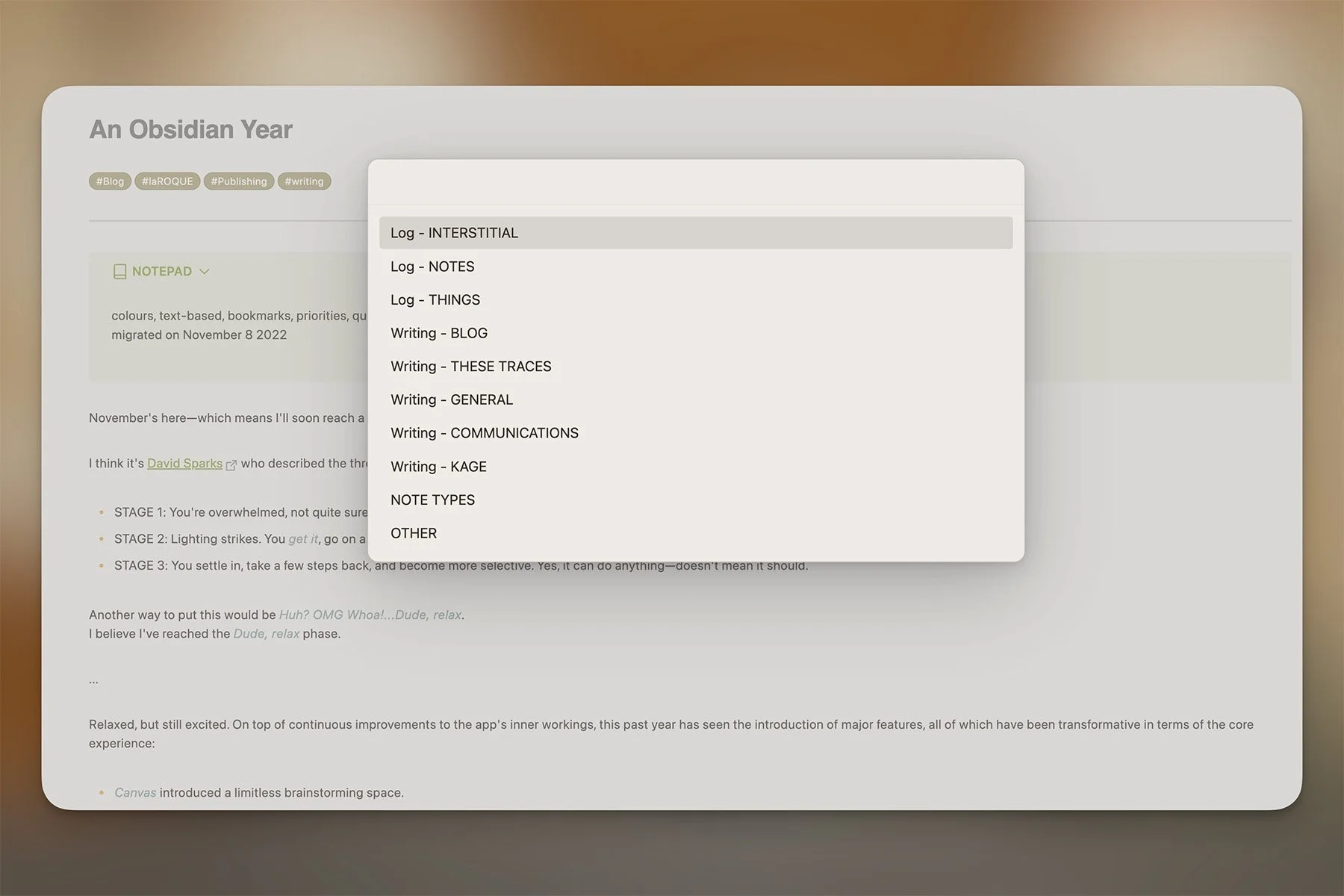
In terms of third-party plugins, the heavy lifter remains the ever-unavoidable Dataview, a tool that makes it possible to dynamically surface notes and documents, based on any metadata. But I've also come to rely on another plugin called QuickAdd to 1) create template-driven documents, and 2) log information straight to the daily journal [3]. In fact, one of the biggest shifts came when I realized I could remap Command-N, the most basic of all keyboard shortcuts, to instead open the QuickAdd menu:
…
Obsidian isn't perfect, and I certainly don't know what the future holds, but I've settled into a very comfortable space here. Any functionality I missed from Ulysses has been added through plugins over time. The app does as much or as little as I need it to, a chameleon bending to my will. More importantly, it keeps evolving in ways that make complete sense to me, while its developers maintain a singular focus on their core values.
Btw: they recently released an Apple Notes importer. I haven't tried it (don't need to) but it apparently works quite well.
Let's see what another year brings.
I still use Notes, just not for this. Day One on the other hand, is gone.
The theme is inspired by Flexoki . The Inspiration vault is still going strong btw, but that's a dedicated space.
QuickAdd is extremely powerful: it can file notes automatically, run macros, even insert data into specific sections of an existing note (which is how I use it for the daily journal). I'll dive into the plugin in a later post.
