
It’s easy to get lost in a never-ending carousel of tools. Switching, fiddling, refining, only to eventually be lured by the latest shiny bauble—and to repeat the same steps again, over and over and over.
But rigidness can be just as damaging. The trick is to know why we feel an urge to move on: is it fixing a genuine set of problems, does it reflect new life circumstances, or is it merely boredom?
Two weeks ago I did something that would’ve been unthinkable until very recently: I cancelled my Craft subscription. Then, over the following weekend, I moved out of Ulysses as well. These decisions came swiftly but, in fact, I’d been building towards this moment for awhile.
I fell in love with Craft for what it offered, but also for the promises it held. After two years, the app is still as elegant and feature-rich as it’s always been, but its core mission appears to have changed rather drastically. I could write an entire dissertation on the subject, but if you’re curious this post offers a good account of what happened—and the author’s reasons for leaving could basically be a photocopy of mine, word for word (although I would add that the lack of evolving support for native features on both MacOS and iPad/iOS now goes well beyond limited Shorcuts actions).
With Ulysses, it’s more of a death by a thousand cuts situation. Over the past two years or so, my base experience with the app has degraded significantly. Launching will often stall for a good ten to fifteen seconds (not just on a cold launch but multiple times a day), and syncing to my iPhone is utterly broken: I thought this was due to storage issues on my iPhone 11, but I reinstalled the app on my new iPhone 14 and it still never downloaded the entire library. [1]
But the icing on the cake is the export function: everything I write for this website needs to be exported from IA Writer (I use the iPad version). For some reason, the Rich Text export from Ulysses either omits heading info, or it adds some kind of invisible formatting that messes with the newsletter tools on Squarespace.
This means that every post is first copied to markdown from Ulysses, then pasted in IA Writer, copied from IA Writer as formatted, and finally pasted in Squarespace. I love Ulysses. I love the UI, the feature set, the Library...it's a gorgeous app. But when the most basic, barebones stuff doesn't work properly, it's clearly time to go.
We are not our tools, ever.
THE REPLACEMENTS
So what am I using? Here goes.
1. WRITING AND RESEARCH
Obsidian.
Yes, I've filed this under never say never. All writing from Craft and Ulysses (apart from journaling) has moved here. Obsidian is still an Electron app, but the official 1.0 release is night and day in terms of experience. In fact, it's what I'm using on my Mac at this very moment.
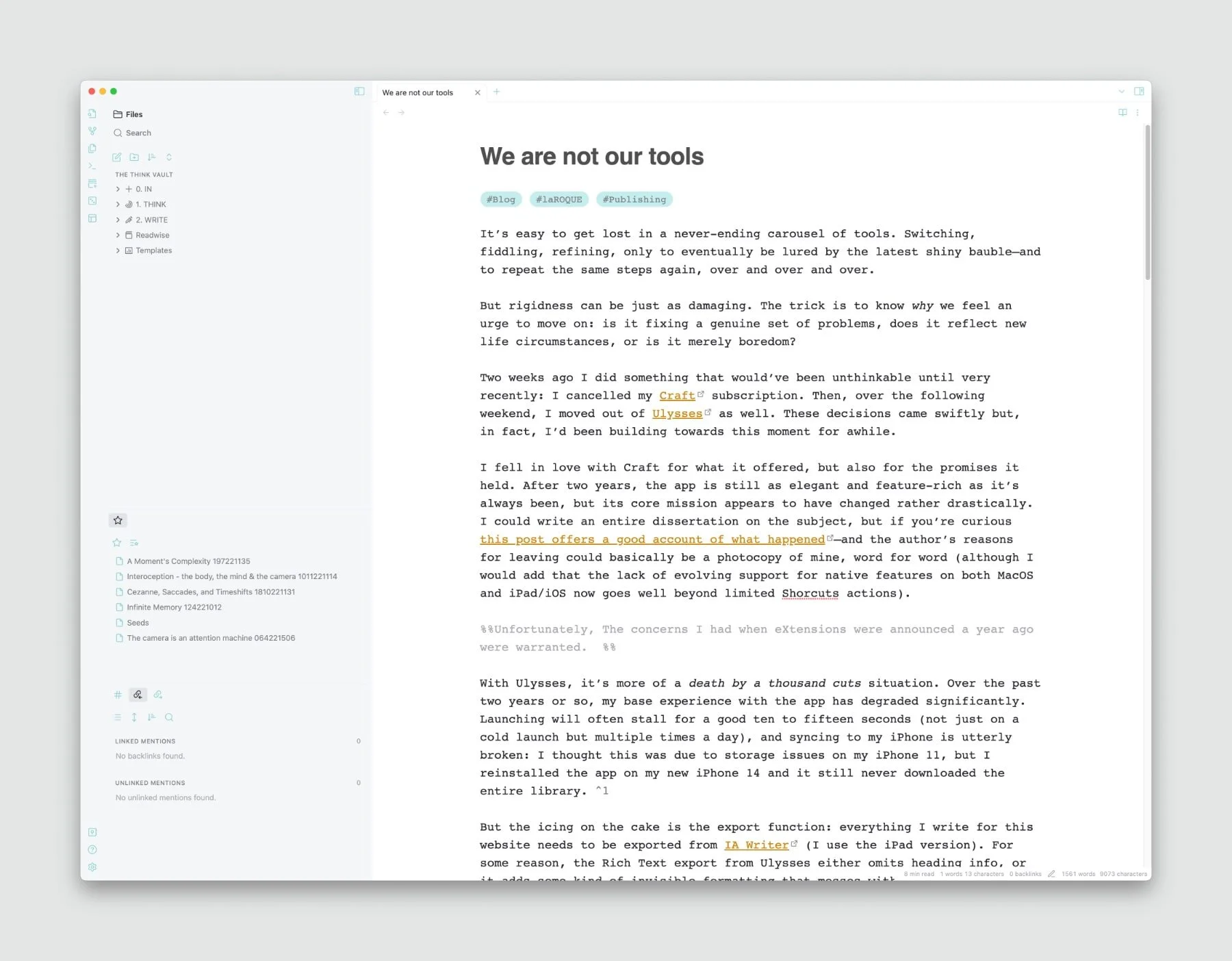
Obsidian on the Mac, in Editing mode (I use a different font for Reading).
As an experiment I also have IA Writer opened on my iPad next to me, with this same post updating live (mostly, there's a small delay). How? Through the magic of plain text.
That’s because Obsidian is only a very powerful front-end to Markdown files, which are themselves just plain text files, saved with the extension .md instead of .txt. So in order to switch to Obsidian, all I needed to do was export all my documents, from both apps, as Markdown. I then saved everything into a set of folders inside an Obsidian vault—which is also just a normal, everyday folder. This means that I can now use any text editor that can read/write Markdown files from an external location.
That said, I don’t believe I’ll need to: after tweaks, theming, and added plugins, Obsidian is a surprisingly good writing environment. I'd even go so far as to call it pleasant, even on iPad. [2]
2. JOURNALING
Day One.
I'd been using Daily Notes in Craft since last January (2022), but I still kept Day One in sync by copying entries over, so this was an easy switch. In fact, it's the first brick that fell before the whole of Craft came tumbling down.
Day One is hard to beat: it's not just about the writing, but also the metadata it captures automatically, adding context to each entry. It surfaces the past in ways that make journaling compelling.

Plus, I’m still using Day One for my Inspiration Journal…
3. THESE TRACES
Notes (The Return).
My newsletter workflow was the one thing that made me hesitate to cancel Craft. It was extremely efficient: a combination of Shortcuts, and code blocks, image blocks, and cards, it really made full use of everything the app had to offer. I racked my brain on this one, until it dawned on me that Notes had seen a bunch of improvements since I’d last used it.
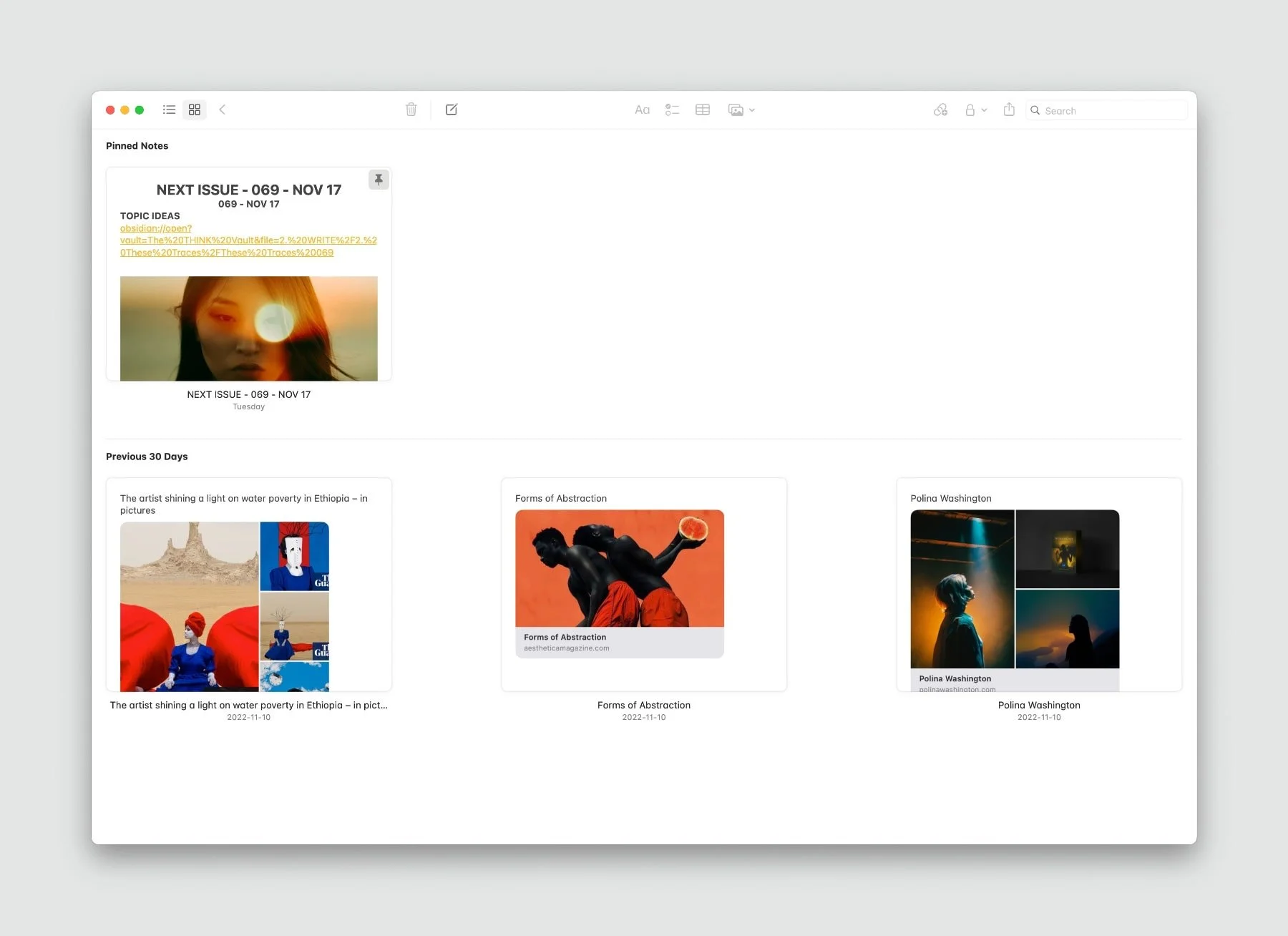
The last newsletter issue in Notes.
I still find Notes too isolated, and closed, for anything I may need to export in the future. But with Quick Notes, Pinned Notes, tags and the new deceptively powerful smart folders, it deserves serious consideration.
So this is now newsletter central. The workflow isn’t as elegant as it was with Craft, but the visual aspect is there and it does the job just fine.
4. PROJECTS
It turns out Obsidian can ingest and link to a lot more content than I initially thought. Drag a message from Mail, for instance, and you have an active link to that original message; drag a note from the Notes app and all content follows (fancy link previews simply become text links). In fact, most dropped files seem to be viewable/playable. And when they're not, Obsidian allows any compatible app to be launched straight from the document those files are embedded into.
So I'm leaning towards a dedicated MAKE vault. The difference from Craft is that I'll need to do any sketching in other apps—but I'd often do this anyway: its sketching tools never much evolved beyond their initial, basic functionality.
I've also been testing the Apple Freeform app on iPadOS 16.2, but that's entirely different and, so far, a little too chaotic for my taste. We'll see.
DECISIONS AND LEGACY
Craft was my app of choice for capturing content I wanted to expand on, developing subjects and ideas, or brainstorming projects, while Ulysses was the place where I wrote anything meant to be published. So this move consolidates certain things while decentralizing others.
Going back to the notion of shiny baubles and restlessness: I know these posts probably make it seem like I'm constantly jumping from one app to another. But I don't, not for anything crucial. I'd been a Ulysses user since 2013...so this was not an off-the-cuff decision. When I made the move I was ready, and I knew exactly how to proceed with minimal disruption: it only took me a few days to get up and running in Obsidian and Notes. [3]
But there's another reason behind this overhaul: legacy. As time passes I'm more and more concerned about the survival of digital work. With Craft and Ulysses all my documents were hidden away, stored within file systems never meant to be read outside of their respective apps. Both depending on an active subscription. This didn't used to bother me, but it does now. For a certain type of content, anyway.
Tools are important but they need to follow us, not the other way around. Sometimes it's worth shaking ourselves out of the torpor.
—————————-
It isn't an iCloud Drive issue either: syncing is rock solid with every other app.↩︎
I'll explain the setup in more details in a later post.↩︎
The geekiest part was figuring out REGEX to convert tag docs to proper tags, but I'd already done research on this awhile back. Like I said: this didn't happen overnight ;) ↩︎
