
In the post Bear Days: GoodLinks and Shortcuts and Bear I mentioned, in passing, Unread and a reading list in Things 3 (1) . I've since added my Kobo Clara BW (no affiliation) into that equation so...the time has come to share :)
When I returned to Things I made two promises to myself: 1) I'd use the app's built-in workflow as intended, and 2) I would never use projects for anything ongoing. Here's what I wrote about this at the time:
“I’d also made a big mistake with projects by using them as makeshift folders, making them persistent instead of temporary. Projects in Things display a completion circle that fills up as tasks get completed. But this is meant to be checked once the entire project is done, and I think there’s a psychological impact to keeping tons of never to be completed pseudo-projects around. That visual cue, however innocuous, leads to a permanent state of urgency.”
I haven't returned to those days of "brain dump" projects and their ever-growing inventory of items. But I've carved out a couple of exceptions that I now keep in a dedicated area called LISTS—this makes them easy to hide AND keeps them segregated from any "real" projects. Things 3 is too convenient and easily integrated to dismiss as a basic tracker. (2)
My Reading List is one of those exceptions. I use it to track books (the ones I'm currently reading and those in my cue), and to "save for later" links to articles I will read (notice the emphasis on will). The list is divided into several headers:
Articles on Kobo
Articles
Videos
Active Books
Next Books — Fiction
Next Books — Non- Fiction
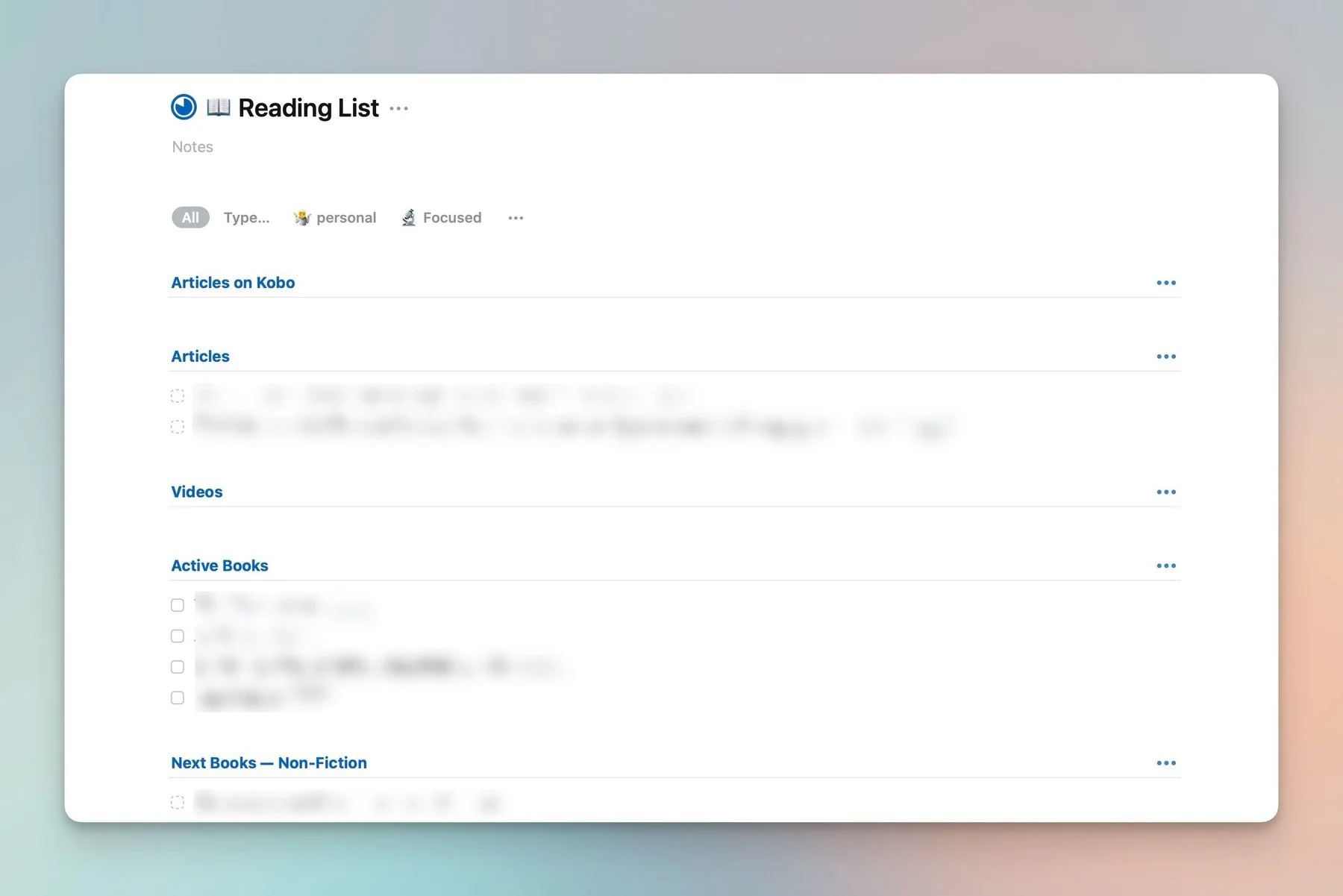
That darn completion circle...
I use this list very diligently: if an item is there for too long it means I'm not really interested, so out it goes (I don't delete it, I just cancel the "task" to make it disappear. It still ends up in my Things' logbook). I also clean it up as I go, checking off read items (which also go to the logbook). The goal is to maintain a state of overwhelm zero—I refuse to repeat past mistakes.
When I buy a new book I add it under the proper Next Books section on the Reading List. When I start to read one I move it to Active Books. Obviously, this is a manual process. For articles, however, I use Shortcuts.
In the rare cases where I stumble on something in Safari, I'll just share it to Things directly. But, as I've mentioned, most of my reading is done in Unread, and for this I use a shortcut that I've named Master Save. When I run it I get the following choices:
Save to Things: this adds the linked article as a task in my Reading List, under the header Articles.
Save to Curation: this adds the linked article to a Curation note in Bear (I've taken a break from These Traces but I still collect potential posts).
Save to GoodLinks (+ Kobo).


This last option is what I use 90% of time, and it accomplishes several actions in one go:
It saves the article to GoodLinks.
It adds the article to the Reading List, under the header Articles on Kobo.
It saves the article to Pocket.
The resulting item in Things links to the newly created article in GoodLinks. But why Pocket? Because (unfortunately) it's the only service that currently syncs to Kobo readers. I had a free account already (from eons ago) so I simply linked it to my device. Pocket is far from perfect and I've noticed missing content that seems to depend on the formatting of the original article. But it's an ok option, and adding it to my existing shortcut didn't require much effort. The Kobo automatically displays an archive option when you reach the end of a Pocket article, so it's easy to keep the device tidy. (3)
I'm not sharing the Master Shortcut: it's too dependent on very specific devices, apps, accounts, and tokens. But if you happen to be using a similar setup and are interested in the workflow, just email me.
1: I wrote about Unread last December in My Favourite Stuff 2024.
2: I do wish they'd allow those completion circles to be disabled from specific lists. It's a silly cosmetic detail that shouldn't matter but... somehow it does.
3: Actually, I can't get the Pocket action in Shortcuts to authenticate on my Mac (no issues on iOS and iPadOS). I only noticed this while preparing this post. I always use Unread on my iPad so it doesn't affect me, but I want to mention it. Another reason to hope for something better to come along.
