

This post is part of the Bear Days series. Browse other articles here.
As fire, fury, and idiocy continue their rampage unabated on the world stage... Bear introduces a new Read-Only mode!
Small mercies folks, small mercies.
Why Read-Only mode matters to me: the ultimate fate of everything I write, or save, in Bear is to become a resource. This is true for project notes, journal entries, communications, published blog posts, articles, book highlights... anything that doesn't require additional input. That's 99% of my library.
Leaving those notes editable isn't a huge deal, but it maintains an unnecessary state of fragility, putting them at risk every time they're consulted. The cursor becomes active, a link click tends to launch the preview window instead of the actual URL, the on-screen keyboard may appear, etc. In edit mode a note isn't delivering information—it's expecting to be modified.
So it's the first thing I did after updating this morning: I selected all notes that weren't "active", and I switched them to Read-Only. This took all of 10 seconds:
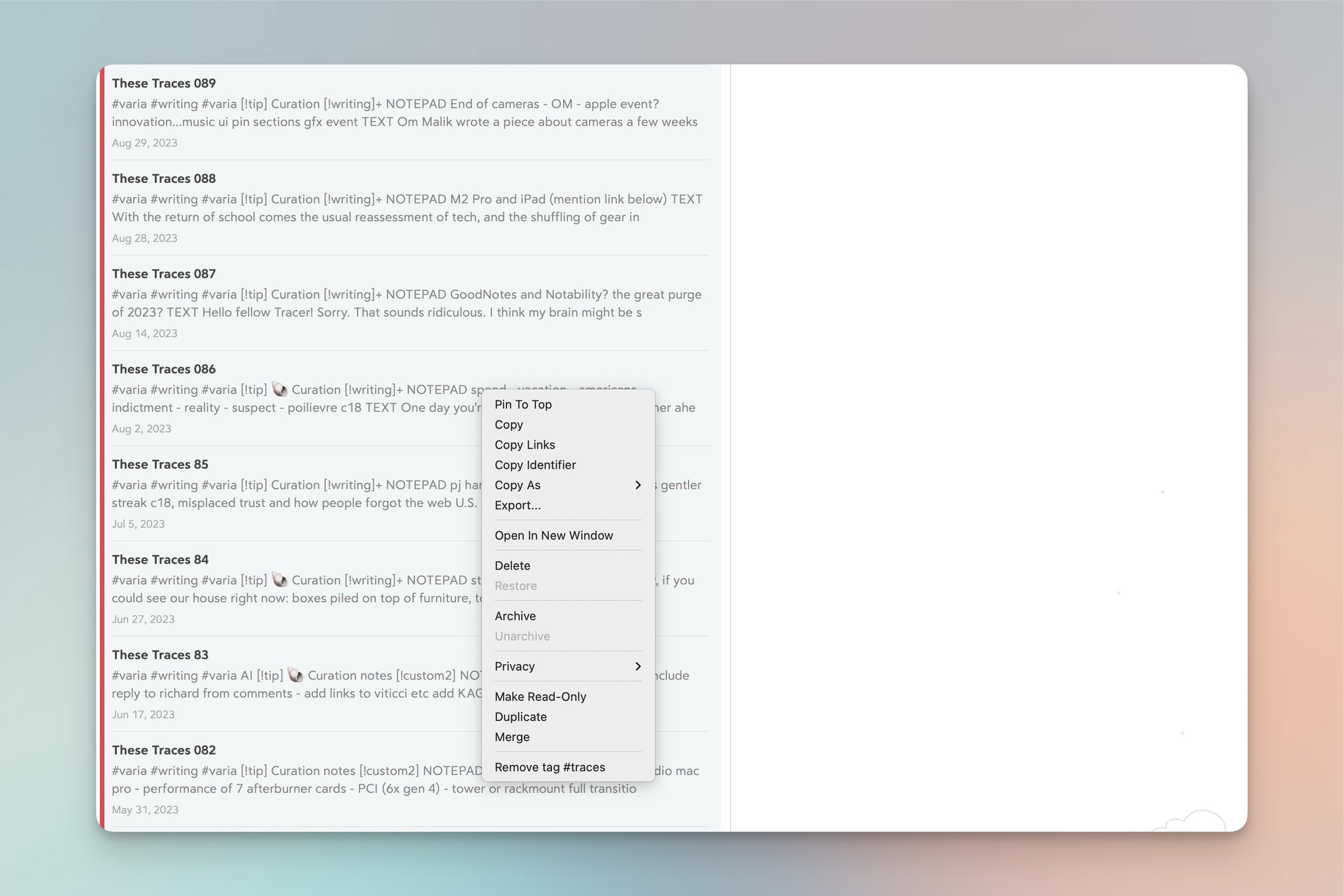
Bulk selection + right-click + Make Read-Only.
What's great about this new mode is that, as far as I can tell, the Bear team have made all the right design choices:
Headers and lists can still be folded and unfolded.
Text is still selectable...
...and any selected text automatically reveals (and copies) the underlying Markdown.
Read-Only notes aren't locked: they look and behave exactly the same way. The sole difference is that you can't type in them anymore. That's it. Oh! And a clickable icon appears at the top to easily switch off Read-Only and make the note editable again.
Simple, easy—happy.
