

Traditions are born of repetition, so here goes: welcome to the second annual instalment of my favourite stuff. But I’m also happy to report that everything I listed last year could still have made the cut, so if you missed it, that post might be worth revisiting (1).
None of the items are in any particular order. I’m including links solely for convenience—I’m not getting kickbacks on any of it.
1 MACBOOK AIR (M1)
What was initially meant as an interim machine (following a somewhat harrowing episode), has become the main device I never envisioned it would be—even succeeding in re-igniting my long-lost love for macOS. The recent additions of M1 Pro and M1 Max laptops are enticing, but I’ve yet to hit a wall with this one, as it handles everything I throw at it, silently and without hiccups.


I remain smitten and see no reason to upgrade—which is a little crazy given everything I use it for.


That Air needed a lift for desk use—which is where I use it 95% of the time. Tons of options are available out there, but I took a chance on this one—on sale—via Amazon, and have no regrets. It’s built like a tank, is super sturdy and looks great. The hinges are quite stiff, but unless you intend to change positions frequently, that’s probably a good thing.
Arturia’s suite of music plugins remains at the very top of my essentials list—which is why their virtual instruments collection (V Collection 8) was part of last year’s favourite stuff (2). In 2021, I took the plunge on the FX Collection, which is all about recreating vintage processing units—from compressors, to iconic console pre-amps, delays, reverbs etc. Every module is quite simply spectacular. These folks know what they’re doing.

“I liked them so much, I bought the company!”
Ok, not exactly. But at some point it made sense to get a MIDI controller fully integrated with the virtual instruments I use most. The knobs and sliders are all customizable, but they’re pre-mapped to control the main components of every Arturia synth, which almost comes close to replicating the real thing. It certainly makes a considerable impact on sonic exploration and real-time manipulation.


This is my second controller in…fifteen years? I’m pretty reasonable. I still prefer the semi-weighted keybed on my old AXIOM 61, so this isn’t a replacement but a nice—and useful—addition.


Not a new purchase: I’ve had it since May 2019. But I never mentioned it, and I’m still delighted with this microphone. It’s as traditional as it gets—condenser, requires phantom power, no USB as far as the eye can see—but it does the job for Zooms, voiceovers, and vocals.
For the price, it’s a steal.
Mechanical keyboards are a love it or hate it proposition. And yes, they do lean towards the hipster end of the scale. But damn it… I’m a sucker for retro.
I’m not at all into the geekiness of this world, so I can’t attest to the actual chops of this particular model. But it looks great, types wonderfully (brown switches), and the backlighting is clear, uniform, and fun—if you want to go crazy. On my Mac, I’ve taken to using it plugged in via USB to avoid the somewhat aggressive sleep timer. If I need to type on my iPad Pro, I just toggle the switch back to Bluetooth. Which is how I’m typing now, actually…
7 HP TANGO


Now THIS is new. Black Friday new, in fact. Many years ago, Cynthia gave me a Kindle reader. And I was happy…but unfortunately, quickly underwhelmed. Its low DPI made anything I read feel like hypertext circa 1992; the lack of backlighting meant going back to keeping the lamp on in the bedroom; and the entire device blinked every time I turned a page. I understood the technology behind E-Ink (its pros and cons), but coming from an iPad this was simply brutal and, eventually, the Kindle slipped into our Great Tech Graveyard in the Drawer.
Fast-forward to my recent trip to the doctor, and her suggestion of eliminating glaring screens, as much as possible, to help with sleep issues. I’d dismissed it, initially, not because I wasn’t aware of the benefits, but because of prior experiences, and how disruptive it would be (Scribd isn’t compatible with Kindle readers).
But then I read a couple of reviews of the new 2021 Paperwhite, saw it heavily discounted (like most of Amazon’s devices this time of year), and decided to give it a whirl. (3)
This is still e-Ink, but what a difference eleven generations make (!): the device’s 300 DPI resolution really does, finally, fulfill the promise of digital paper. In full daylight, sitting by a window, it doesn’t look at all like a screen. Turning on backlighting does break the spell, but the new warmth settings help with this. And unlike an iPad, raising the brightness at night illuminates the ink, not the page behind it.


I mentioned Scribd earlier: I’ll miss this service. It wasn’t perfect, it tended to offer a lot more choice in audiobooks than books, but the library was still extensive. I activated a 3-month Kindle Unlimited trial to see if this could be a replacement, but it is, frankly, awful. Depressing, even—like browsing a third-rate thrift store full of cheap romance novels and get rich or productive or whatever clickbait crap (4). I thought I’d found an interesting book about the history of the Mongols, until I started reading the foreword, clearly written by a different author, and hit a passage describing them as ruthless savages. I skipped ahead a couple of pages: it was signed Theodore Roosevelt, 1906. So much for relevance.
I’m re-reading the Harry Potter books during the trial and cancelling it afterwards. I’ll lose the benefits of an all-you-can-eat buffet, but Scribd was almost $15/month, so I’ll probably save money purchasing books instead. (5)
One last point about this device: focus. I’m extremely diligent about creating distraction-free environments, but even with minimal notifications there’s always the possibility of just “quickly” checking the news; or jotting down an idea; or email; or the App Store; or Slack…etc, etc. When I sit down to read on the Kindle… I read. And I’m surprised by the effect this is having on both concentration and mood.
A lack of options quiets the mind. Imagine that.
9 GFX 50S (DISCONTINUED)
I’m talking about the Mark I and not the newly released Mark II which is, of course, available. When Fujifilm sent me the GFX 100S, to use on a special project, my head quickly switched into high gear: I’d sell the “old” 50S (before the Mark II is released), use the money to fund this one. I’d be gaining impressive in-body stabilization AND future-proofing my kit in the process. The pragmatic, financially sound move would’ve been to sell. The GFX 100S is, unquestionably, a better machine, and the trade would’ve made the expenditure entirely worth it.
But then I thought about what I’d be losing.
I feel the same way about the first 50S as I do about the X-Pro2, or the original X100: these are all milestones. It’s bigger, bulkier, and slower than the latest models, but I love holding it, and I still consider its modular viewfinder design and tilt-adapter to be strokes of genius. I get a kick every time I snap it on and off the body—even just the sound of it. No other camera I own feels the same in my hands. It really inhabits a space of its own.
So I backtracked. I’ll probably add a 100MP body at some point in the future, but this one’s a classic—and it’s staying right where it is. Consider it an old favourite ;)
BONUS: SHORTCUTS ON MACOS
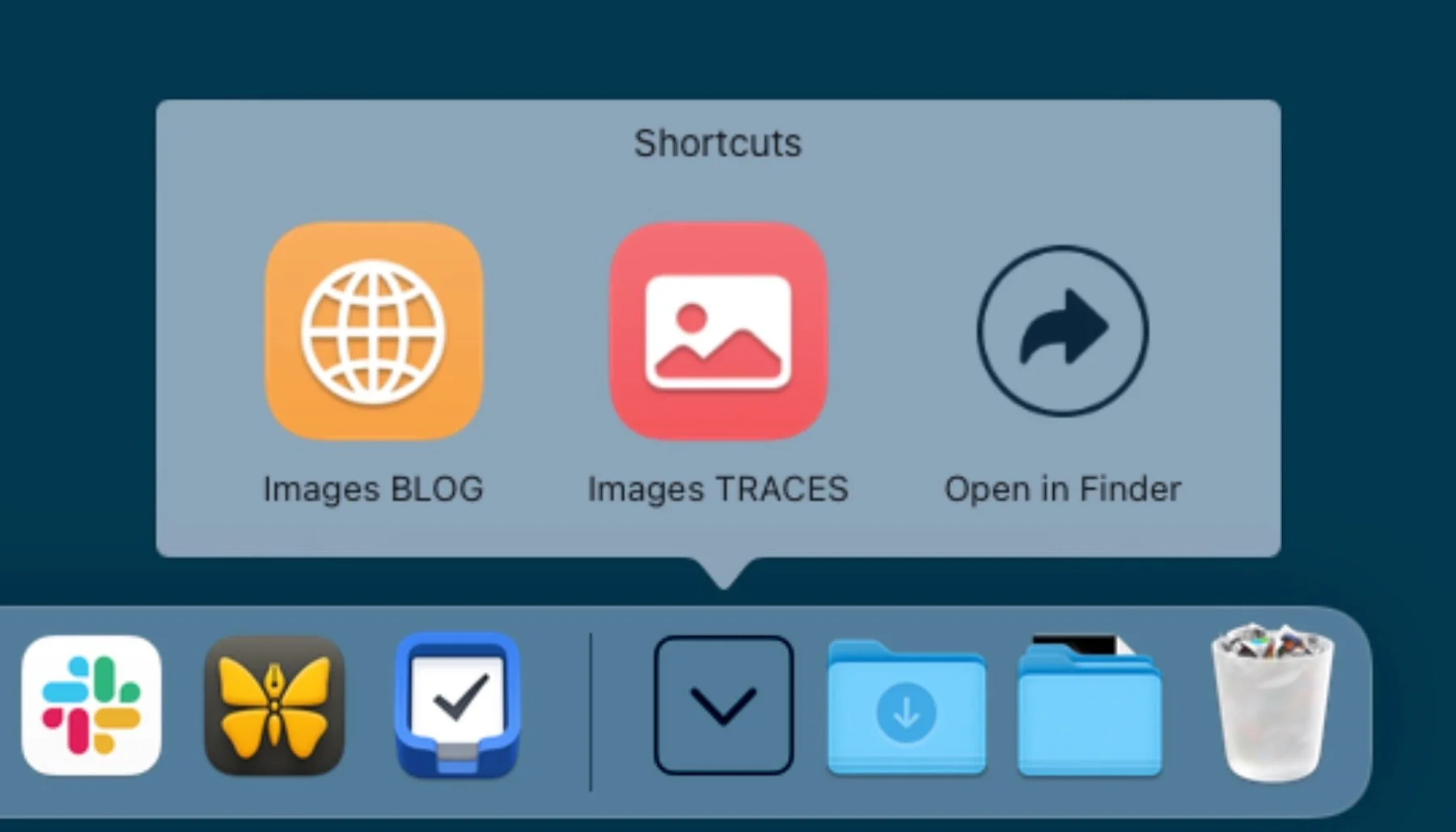
Monterey isn’t bug-free and Universal Control is still MIA, as fall steadily inches towards winter. But I’m enjoying Shortcuts on the Mac and thought it deserved an honourable mention. Here’s a list of the ones I use on a daily/weekly basis:
In the Menu Bar:
Studio Video: turns on my video HomeKit scene, as well as the switcher and LED panel (via smart plugs). Sets Focus Mode to Do Not Disturb.
Studio Video End: restores lighting to normal, turns off the plugs and displays an alert reminding me to turn off the camera (!). Turns off DND.
Writing Mac: hides the Dock; quits all other apps except for Craft and Safari (research); launches Ulysses and sets the window to the centre of the screen; hides all other apps.
These Traces Mac: creates a split view with Craft and Safari; loads the appropriate document and URL in each app.
Various scene triggers to control studio lighting.
In the Dock:
Images TRACES: selects one or multiple images to compress and resize for the newsletter. Saves in a Converted folder. Uses Pixelmator extensions to do its magic.
Images BLOG: same but with blog specs. I don’t use this one very frequently, but it’s there if I need it. …

…
So that’s it for this year’s crop. Strangely, unless you count the Tango printer and the inclusion of a five-year-old camera, there’s nothing photography-related. The truth is, while I was fortunate enough to test drive a lot of new and exciting gear in 2021, I didn’t end up purchasing anything. I’m actually content on that front, and don’t feel limited at all by what I already own. Which we all know will change eventually…so it’s probably best to enjoy the feeling while it lasts ;)
I’m still not fond of the Magic Keyboard’s material but it’s actually held up fine.
The newly released V Collection 8.2 update just brought native M1 support, just in time for the holidays. It’s a free download for existing users.
I later discovered that local libraries here don’t work with Kindle readers, which is a shame. But then, based on past experience, that system isn’t all that impressive either. Kobo was another option but I already own Kindle books, so the ecosystem makes sense.
There's also a Photography section: if you're feeling adventurous I suggest checking it out…or not. But if you do, not at work. I'm not a prude but the material is just a downright weird, unsettling, gaming of the category system. And in seriously bad taste.
The unlimited part isn’t entirely accurate: Scribd apparently throttles available titles after hitting a certain limit. But I never experienced it.
